 Libzbook
Library management
Study Library Refund, Pause and Seat Change Policy
Write a clear refund, cancellation, pause and seat-change policy for your study library, and handle student requests without arguments at the desk.
Every library gets the same four requests
Sooner or later, every student asks for one of four things. They are going home for a week and want to pause. They want a different seat, closer to a window or a power point. They want to cancel. Or they want money back. When the answer depends on who is at the desk that day, students feel treated unfairly and staff end up arguing in a room that is meant to be silent.
A written policy fixes most of this. Students know the rules before they ask, and staff apply the same rules to everyone.
Write the policy in plain words
Keep it short enough to print at the desk and send with every admission. Cover each request:
Pause. Can a student pause their plan, and for how long at most? During a pause, do they keep their seat? Many libraries allow a pause of up to a week or two, keep the seat reserved, and add the paused days to the end of the plan.
Seat change. Who approves it, and from when does it apply? A move should have a clear start date so two students are not given the same desk.
Cancellation. If a student leaves early, does their seat end immediately? Is anything still due?
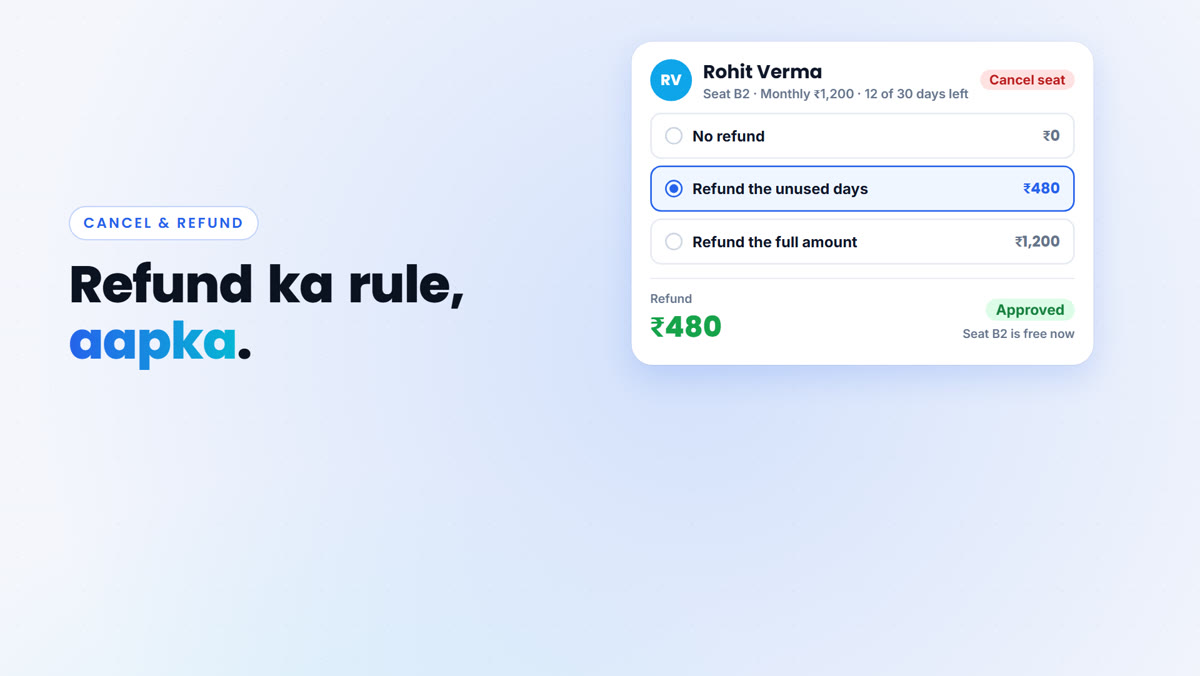
Refund. Choose one rule and state it clearly:
- No refund after booking. Simple, but strict. Best stated before payment.
- Refund the unused days. For example, a ₹1,200 monthly plan cancelled with 12 of 30 days left returns ₹480.
- Refund the full amount. Usually only within a short window after joining.
Take requests in writing, not across the room
Verbal requests are easily forgotten or remembered differently. Ask students to send requests through a channel that keeps a record, with the date and the details. This protects the student as well as the library.
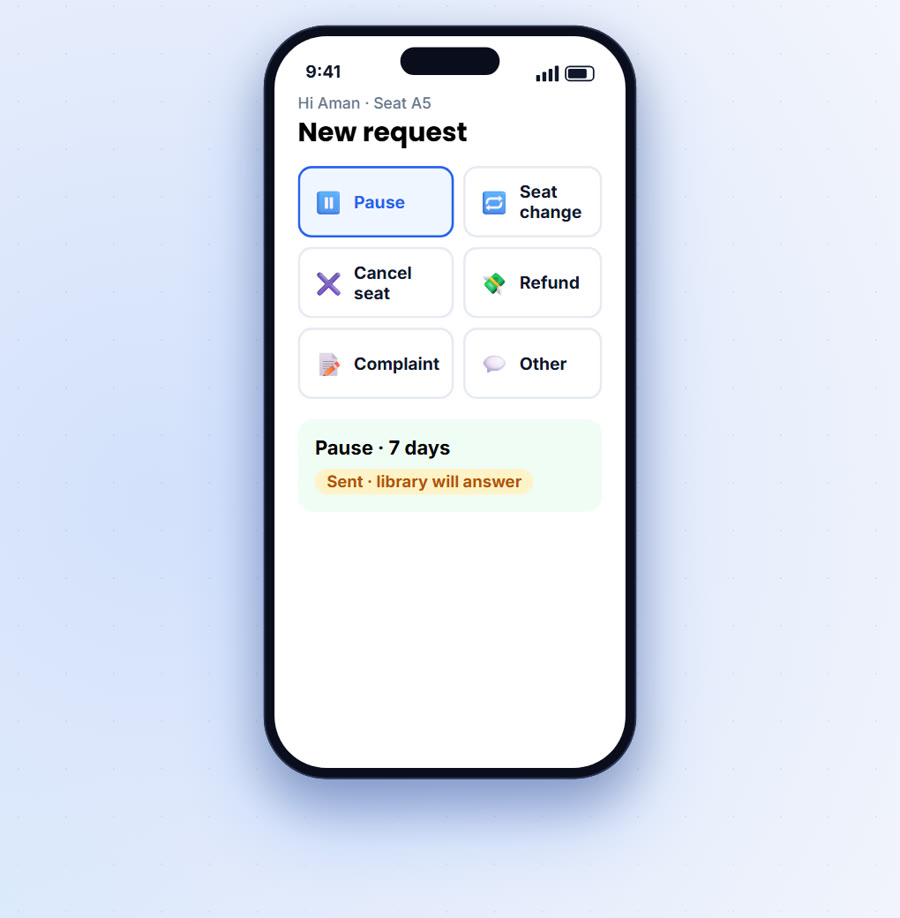
In Libzbook, students send requests from their app: a pause from a chosen day for a number of days, a seat change, cancelling the seat, a refund, a complaint or anything else. The student app overview explains what students see.
Answer quickly, and apply the answer at once
A request should get a decision within a day. Owners and authorised staff see open requests in Students → Student requests, and approve or reject them (complaints and other requests are marked resolved).
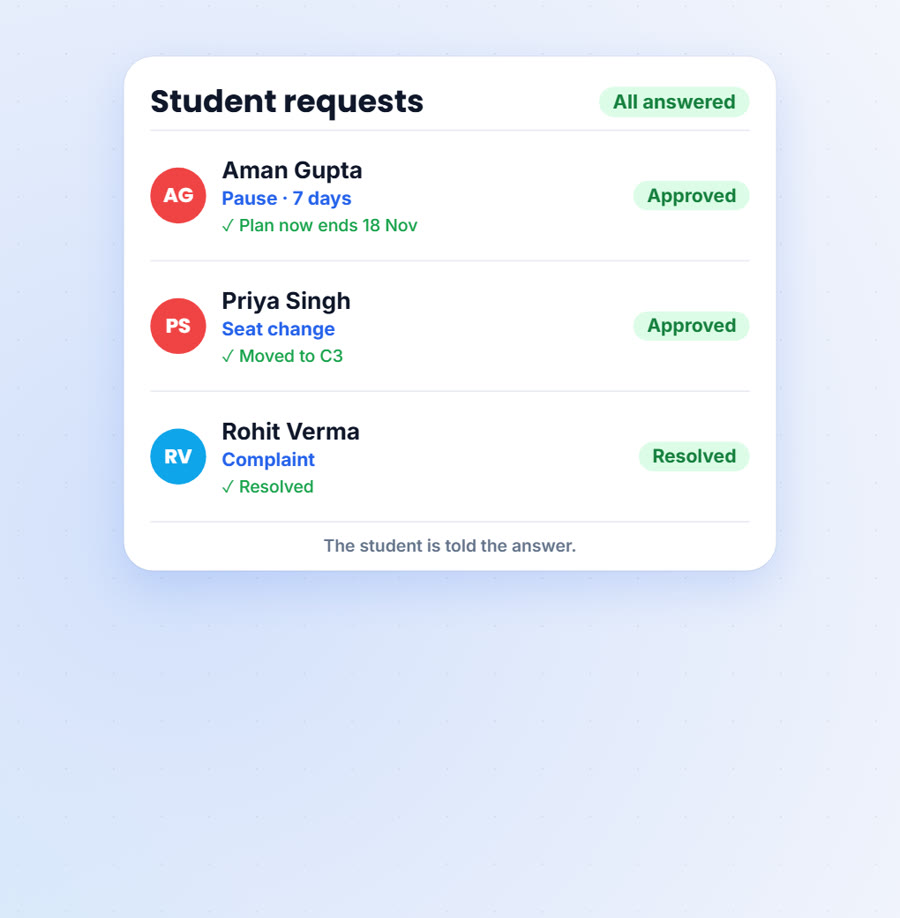
When a request is approved in Libzbook, the change is made straight away and the student is told the answer:
- An approved pause keeps the seat, stops check-in for those days and adds the days to the end date. If the student comes back early, the unused days are given back.
- An approved seat change moves the student to the new seat.
- An approved cancellation ends the seat now, with the refund amount the staff member chooses under your rule.
- A refund request returns money while the seat stays.
You decide the rules in the requests settings: whether refund requests are allowed, your refund policy (no refund after booking, refund the unused days, or refund the full amount), and the longest pause. Each request is answered once, so two staff members clicking at the same time cannot refund a student twice.
Keep the money side clean
Every refund changes what a student has paid, so record it against the original payment rather than as a separate cash entry. That keeps the student's balance correct and makes the day's cash count simple. Our guides on tracking fees and balances and closing the cash drawer each day show how to reconcile it.
A cancelled seat is also a free seat. If you keep a waitlist, offer it to the next person in line the same day.
Review requests every month
Look at what students ask for most. Many seat-change requests for one area may mean poor lighting or noise there. Many pauses around the same dates may mean a festival or exam calendar worth planning for. The requests themselves are useful feedback about your library.
We make Libzbook, and the steps above describe how its student requests work today. The illustrations use sample names and amounts; they are not screenshots of a real library.