 Libzbook
Library management
How to Run a Waitlist When Your Study Library Is Full
Keep a fair, ordered waitlist when every seat is booked, offer freed seats quickly and stop losing students to the library next door.
A full library still has students asking for seats
Exam season fills study libraries quickly. Once every seat is booked, the usual answer at the desk is "come back next month" or "leave your number". Most of those numbers end up on a scrap of paper. When a seat frees up two weeks later, nobody remembers who asked first, and the student has already joined another library.
A waitlist solves a simple problem: it keeps the people who want a seat in the order they asked, so a freed seat goes to the right person quickly. Done well, it also feels fair to students, because they can see that the line is real.
Decide the rules before you start a line
Write down four rules and share them with your staff:
- Who can join. Walk-ins, phone callers and students who try to book online when you are full.
- What a person is waiting for. A plan and shift matters. Someone who wants the morning shift cannot take a seat that is free only in the evening.
- How long an offer is held. When you offer a seat, how many hours does the student have to pay before it goes to the next person? A day is common; choose what fits how quickly your seats turn over.
- What happens if they do not pay. The offer ends, the seat is free again, and the next person in line is offered it.
These rules are what make a waitlist fair. Without a hold time, one undecided student can block a seat for a week.
Let students join when you are full
Many enquiries arrive outside desk hours, from a booking link shared on WhatsApp or Instagram. If your online booking page simply shows no free seats, the student leaves. A better page tells them the library is full and lets them join the line with a name and mobile number.
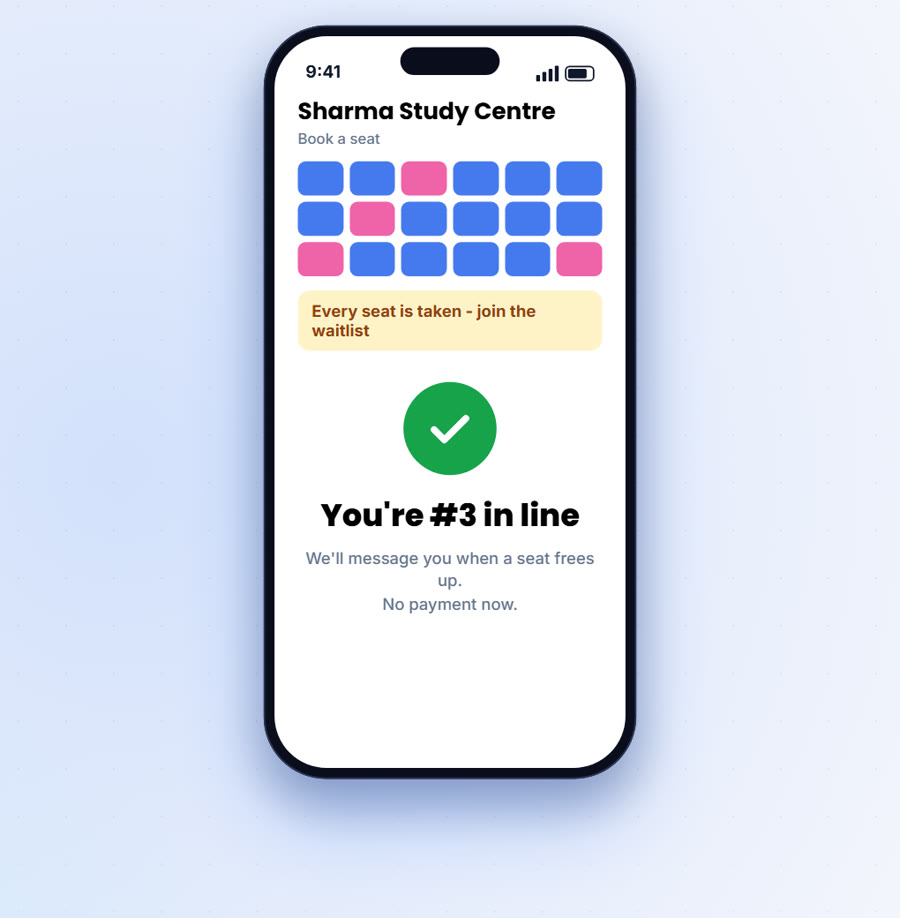
In Libzbook, when every seat is taken, the public booking page shows the option to join the waitlist. No payment is taken at that point. Staff can also add walk-ins and callers from Students → Waitlist, so every enquiry ends up in the same line. See the online booking overview for how the booking page works.
Offer a freed seat the same day
The value of a waitlist is speed. When a student leaves or does not renew, the seat should be offered while the people waiting are still interested.
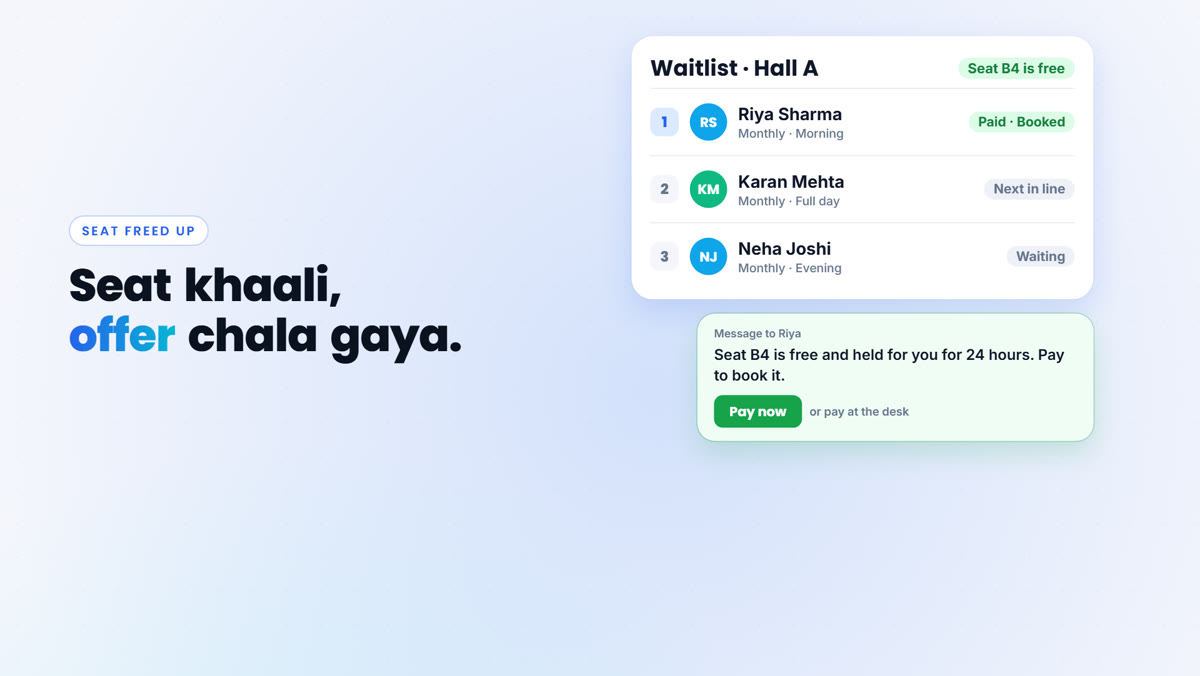
In Libzbook, when a seat frees up, the first person in line whose plan fits that seat is offered it. The seat is held for them for the number of hours you set, and they get a message with a Pay now link, or they can pay at the desk. Once they pay, the booking is confirmed. If they do not pay in time, the hold ends and the next person in line is offered the seat.
If you prefer to choose who gets each seat, you can turn automatic offers off in the waitlist settings and offer seats by hand from the same screen.
Keep the line clean
A waitlist only helps if it is accurate. Once a week:
- Remove people who have joined elsewhere or no longer need a seat.
- Check that each entry has the right plan and shift.
- Look at how many people are waiting for each shift. A long line for one shift is a signal to review your pricing or add seats for that time.
If a person's offer expired by mistake, for example because they were travelling, you can put them back in line rather than making them start again.
Turn the waitlist into a planning tool
Over a few months, the waitlist tells you something your seat map cannot: how many students you are turning away. If the morning shift always has a queue while evenings have free seats, consider a different price for evenings, or move some full-day plans to shift plans. Pair this with a clear seat and shift plan and a routine for following up enquiries, and fewer students slip away when you are full.
We make Libzbook, and the product steps above describe its waitlist as it works today. The illustrations use sample names and data; they are not screenshots of a real library.